Logion2

Beta

KI-gestütztes CAT-Tool mit Translation Memory, Glossar-Management und RAG-basierter Kontextsuche. AI-powered CAT tool with Translation Memory, Glossary Management, and RAG-based context retrieval.

Quelloffenes CAT-Tool mit KI-gestützten Übersetzungsworkflows, Cross-lingual RAG und weltweit einzigartiger Tracked-Changes-Übersetzung. Open-source CAT tool with AI-powered translation workflows, cross-lingual RAG, and globally unique tracked changes translation.
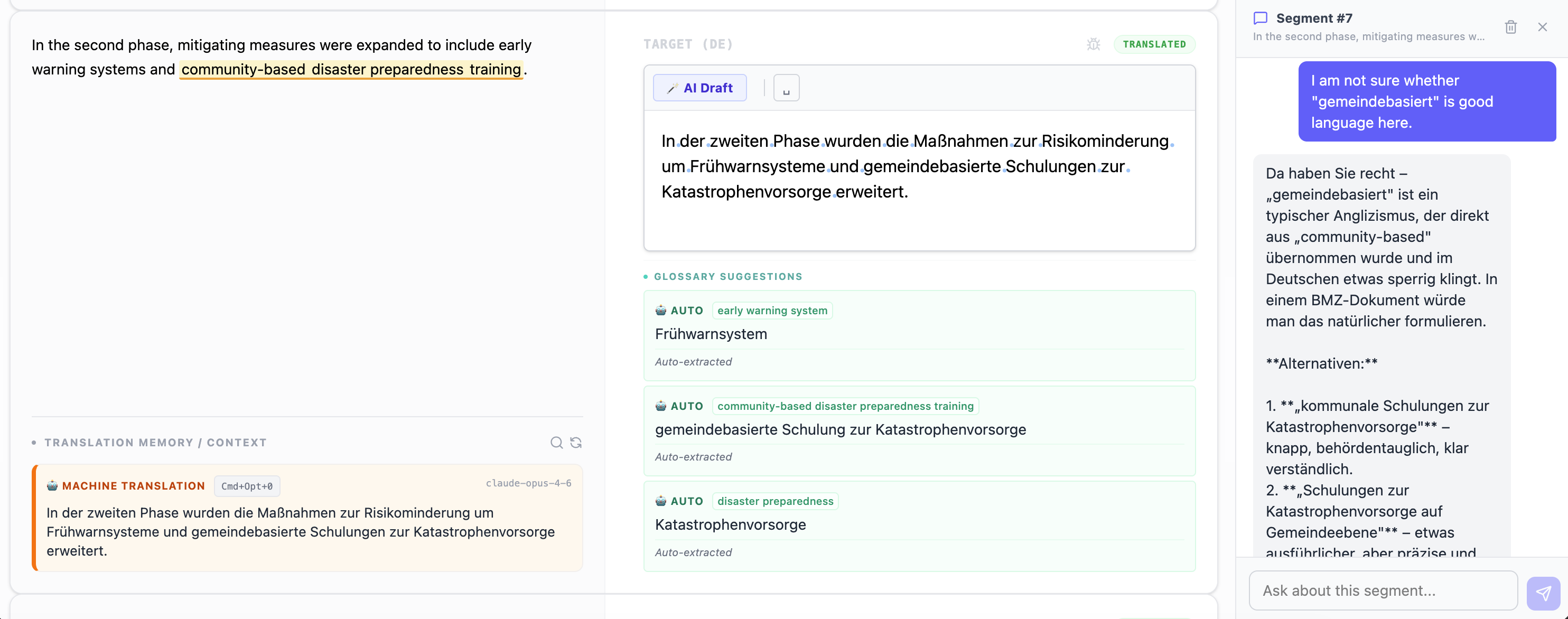
Logion2 Editor View with Chat on Segment

Warum ein neues CAT-Tool? Why a new CAT tool?

Tracked Changes gehen bei der Übersetzung verloren. Cross-Referencing braucht manuelles Alignment und gepflegte Translation Memories. Machine Translation ist oft eine Blackbox ohne Kontrolle über Anbieter und Modelle.

Logion2 löst diese drei Probleme: Es übersetzt Tracked Changes auf verschiedene Arten (weltweit einzigartig), nutzt Cross-lingual RAG statt manuellem Alignment und gibt dir die volle Kontrolle über deine MT-Workflows — inklusive lokaler Modelle.

Außerdem simuliert Logion2 auf Wunsch einen menschlichen Übersetzer: Im schrittweisen Workflow wird Segment für Segment übersetzt, wobei die KI den Kontext und die wichtigsten Informationen stets mit in die nächsten Segmente nimmt.

Tracked changes get lost during translation. Cross-referencing requires manual alignment and maintained translation memories. Machine translation is often a black box with no control over providers and models.

Logion2 solves these three problems: it translates tracked changes in multiple ways (globally unique), uses cross-lingual RAG instead of manual alignment, and gives you full control over your MT workflows — including local models.

Furthermore, Logion2 can simulate a human translator upon request: In the step-by-step workflow, translation is handled segment by segment, with the AI continuously carrying context and key information forward into subsequent segments.

Tracked Changes übersetzen Translating Tracked Changes

Änderungsnachverfolgung bleibt in der Übersetzung erhalten — weltweit einzigartig. Change tracking is preserved in the translation — globally unique.

Wenn ein Dokument mit Tracked Changes übersetzt wird, gehen die Änderungen normalerweise verloren — Reviewer sehen nicht mehr, was sich geändert hat. Logion2 übersetzt jede Änderungsebene separat und rekonstruiert die vollständige Änderungshistorie in der Zielsprache.

Das funktioniert auch im automatisierten MT-Workflow: Du wählst einen Provider (via LangChain), auch lokal, und Logion2 übersetzt alle Ebenen inkl. Tracked Changes — vollautomatisch.

When a document with tracked changes is translated, the changes are usually lost — reviewers can no longer see what changed. Logion2 translates each change layer separately and reconstructs the complete change history in the target language.

This also works in automated MT workflows: choose a provider (via LangChain), including local models, and Logion2 translates all layers including tracked changes — fully automated.

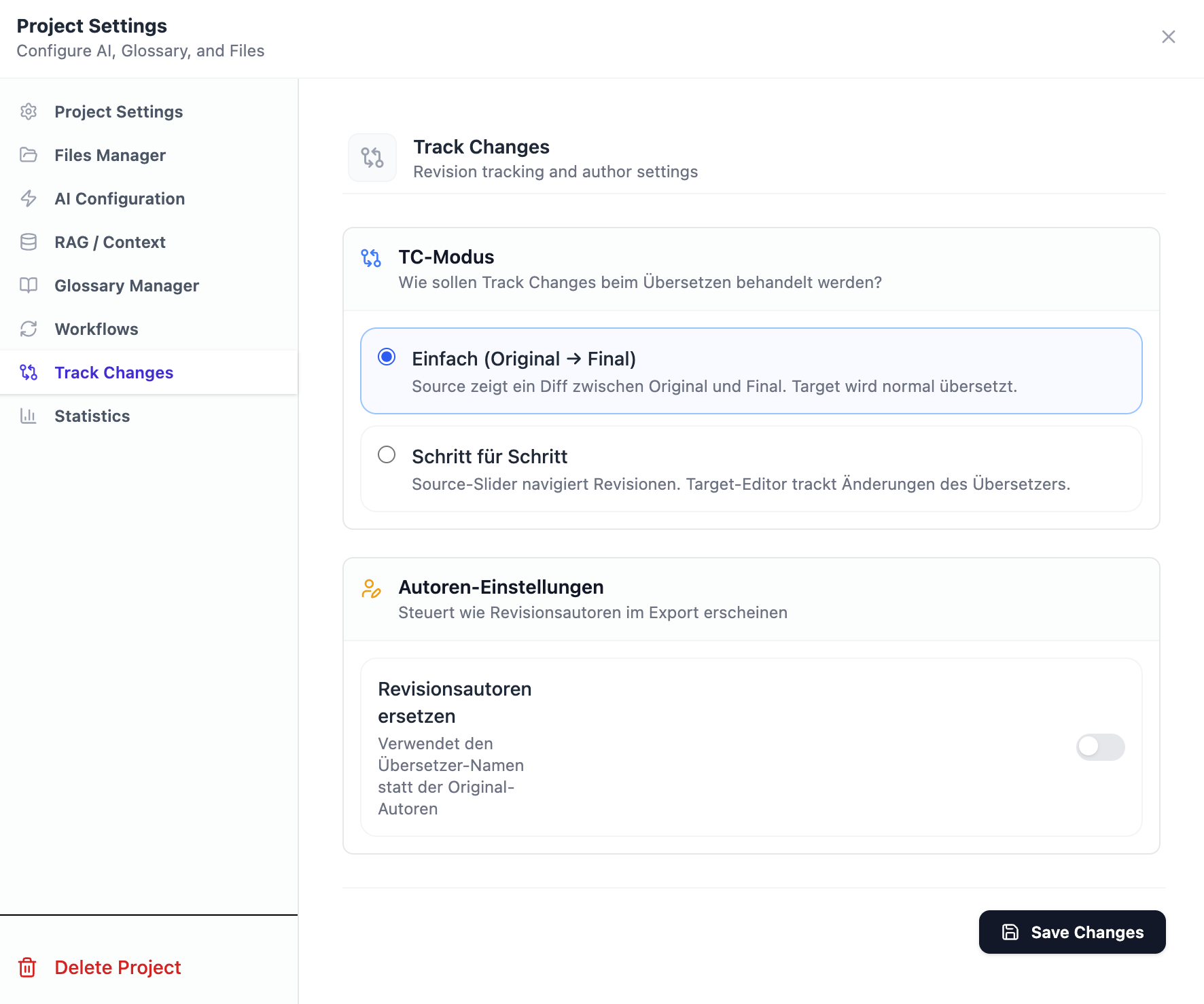
Tracked Changes Settings

Vier Modi — du entscheidest, was der Reviewer sieht Four modes — you decide what the reviewer sees

Source + Tracked Changes Logion2 Modus wählen Choose mode Target TC erhalten ✓ TC preserved ✓
A Z
Init → Final
Nur Anfangs- und Endversion. Kompakt und übersichtlich. Start and end version only. Compact and clear.
Alle Stufen All Stages
Init + alle Zwischenstufen + Final. Komplette Änderungshistorie. Init + all intermediate stages + final. Complete change history.
= original
Originalautoren Original Authors
Autorennamen aus dem Quelldokument bleiben erhalten. Author names from the source document are preserved.
= translator
Übersetzername Translator Name
Alle Änderungen werden dem Übersetzer zugeordnet. All changes are attributed to the translator.

Cross-lingual RAG

Referenzmaterial hochladen. Matches sehen. Fertig. Upload reference material. See matches. Done.

Kein manuelles Alignment. Kein TMX-Pflege-Aufwand. Lade dein Referenzmaterial hoch — als DOCX, XLSX oder TMX — markiere es als mandatory oder optional, und Logion2 findet sprachübergreifend die passenden Segmente. Matches werden reranked (unterstützt Voyage AI) und direkt im Editor angezeigt.

Lokale RAG-Provider möglich. Aktuell auf 2048 Vektoren eingestellt.

No manual alignment. No TM maintenance overhead. Upload your reference material — as DOCX, XLSX, or TMX — mark it as mandatory or optional, and Logion2 finds matching segments across languages. Matches are reranked (supporting Voyage AI) and displayed directly in the editor.

Local RAG providers supported. Currently configured for 2048 vectors.

1 Source hochladen Upload Source DOCX 2 Referenz hinzufügen Add References DOCX / XLSX / TMX mandatory / optional 3 Matches sehen See Matches cross-lingual reranking
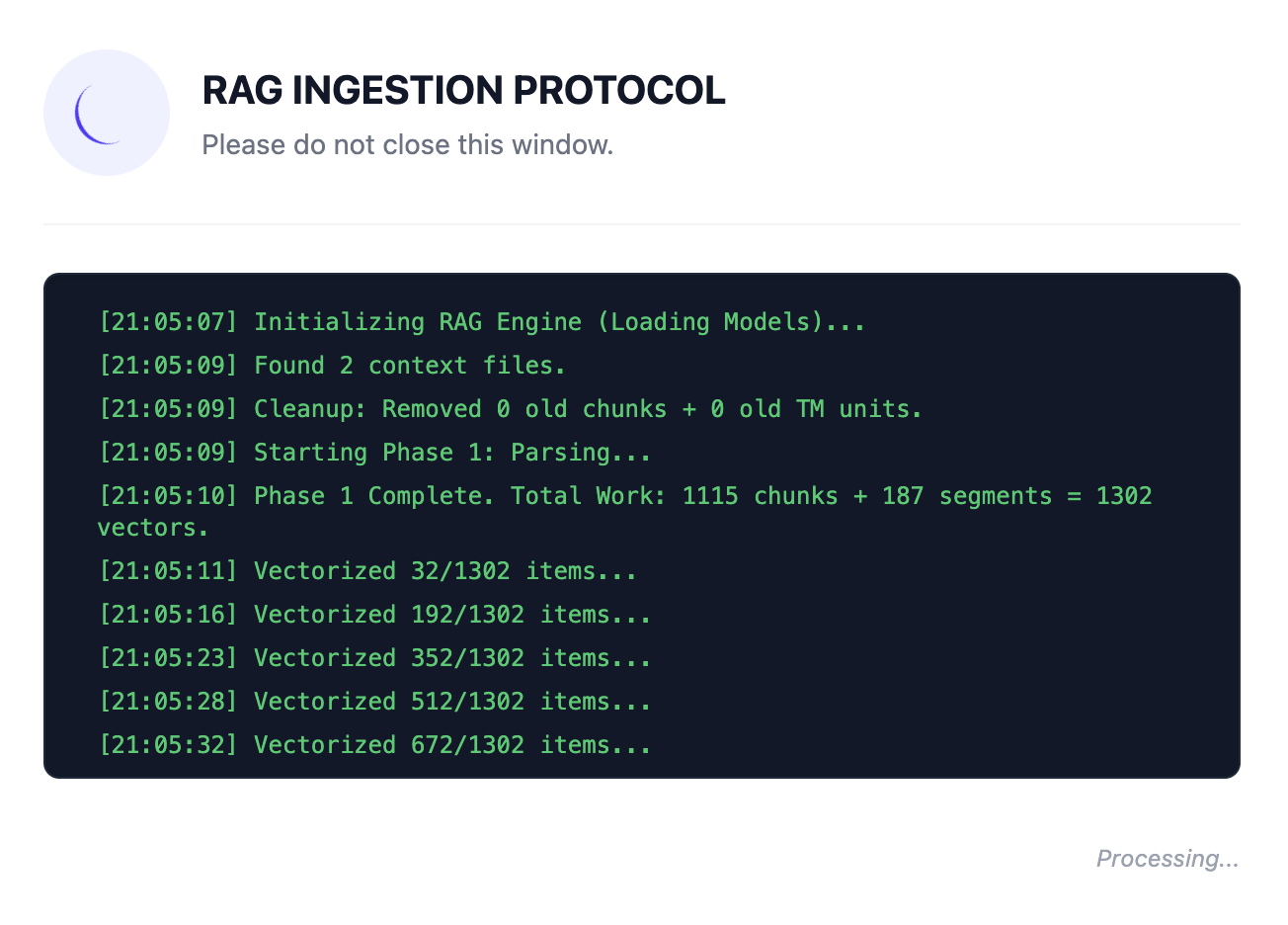
RAG Ingestion

Chat on Segment

Fragen an die KI direkt im Editor klären. Clarify questions directly with the AI in the editor.

Diskutiere und optimiere Übersetzungen gemeinsam mit der KI. Man kann direkt eine Frage zum aktuellen Segment stellen — das ausgewählte Segment und der gesamte Kontext des Dokuments werden automatisch mitgeliefert.

Ideal bei schwierigen Quelltexten, unbekannten Fachbegriffen oder als smarte QM-Vorstufe zur Feinabstimmung.

Discuss and refine translations together with the AI. You can ask a question directly within the current segment — the segment itself and the entire text context are automatically provided.

Ideal for difficult source texts, unfamiliar terminology, or as a smart QA preliminary step for fine-tuning.

Auto Glossary (Background)

Terminologie automatisch sichern und wiederverwenden. Automatically secure and reuse terminology.

Ein integraler Bestandteil des schrittweisen Workflows: Während Logion2 den Text Segment für Segment übersetzt, extrahiert die KI völlig automatisch und im Hintergrund relevante Fachbegriffe. Es entsteht ganz nebenbei ein wertvolles projektspezifisches Glossar.

Und das Beste: Dieses Glossar wird anschließend bei zukünftigen Übersetzungen (auch in anderen Projekten) automatisch herangezogen, um eine durchgehende konsistente Terminologie sicherzustellen.

An integral part of the step-by-step workflow: as Logion2 translates the text segment by segment, the AI automatically extracts relevant specialized terminology in the background. A valuable, project-specific glossary is built as a byproduct.

Best of all: This glossary is subsequently and automatically applied to future translations (even in other projects) to continuously ensure terminology consistency.

Workflows & Funktionen Workflows & Features

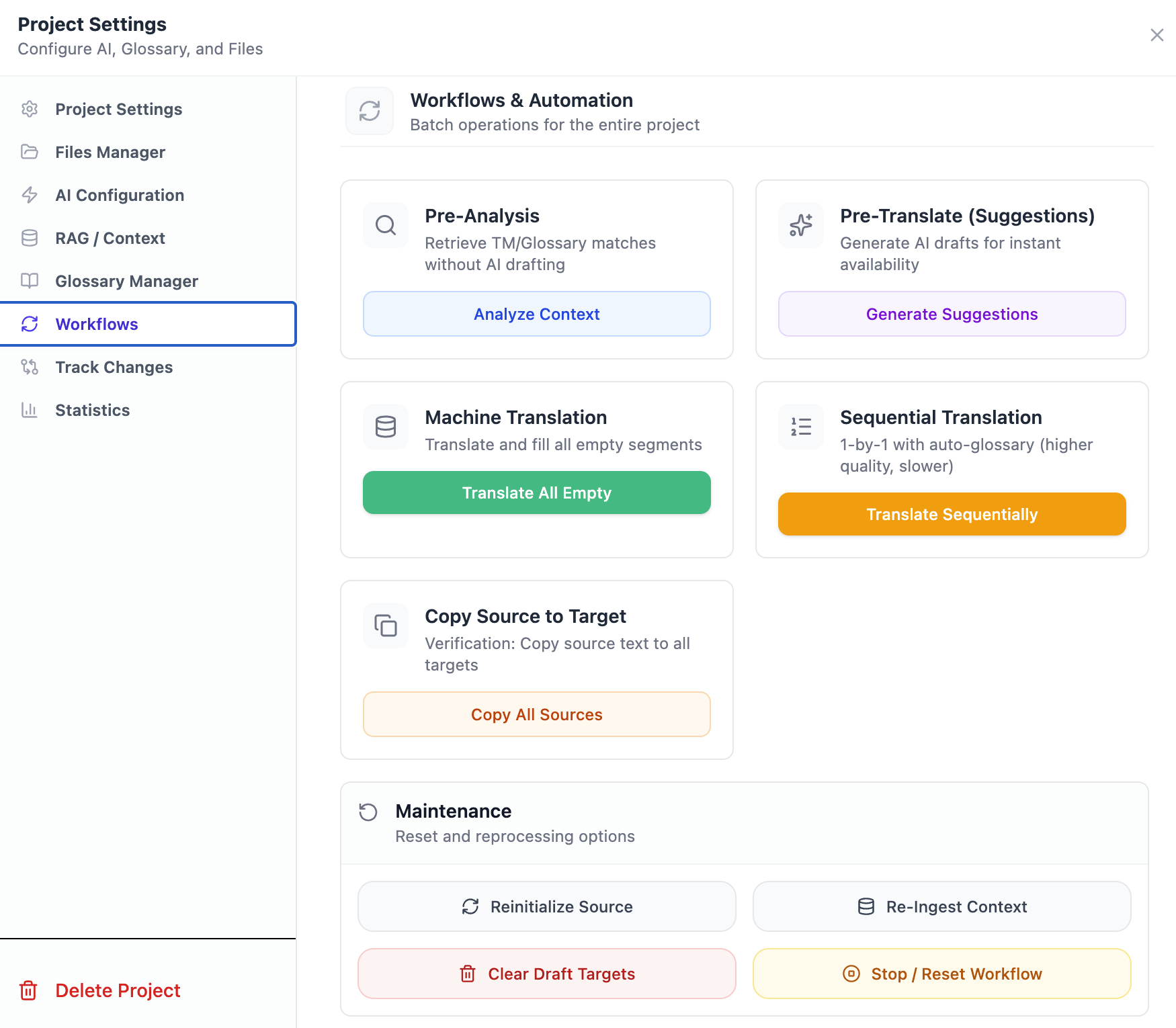
Workflow Selection

MT-Workflows MT Workflows

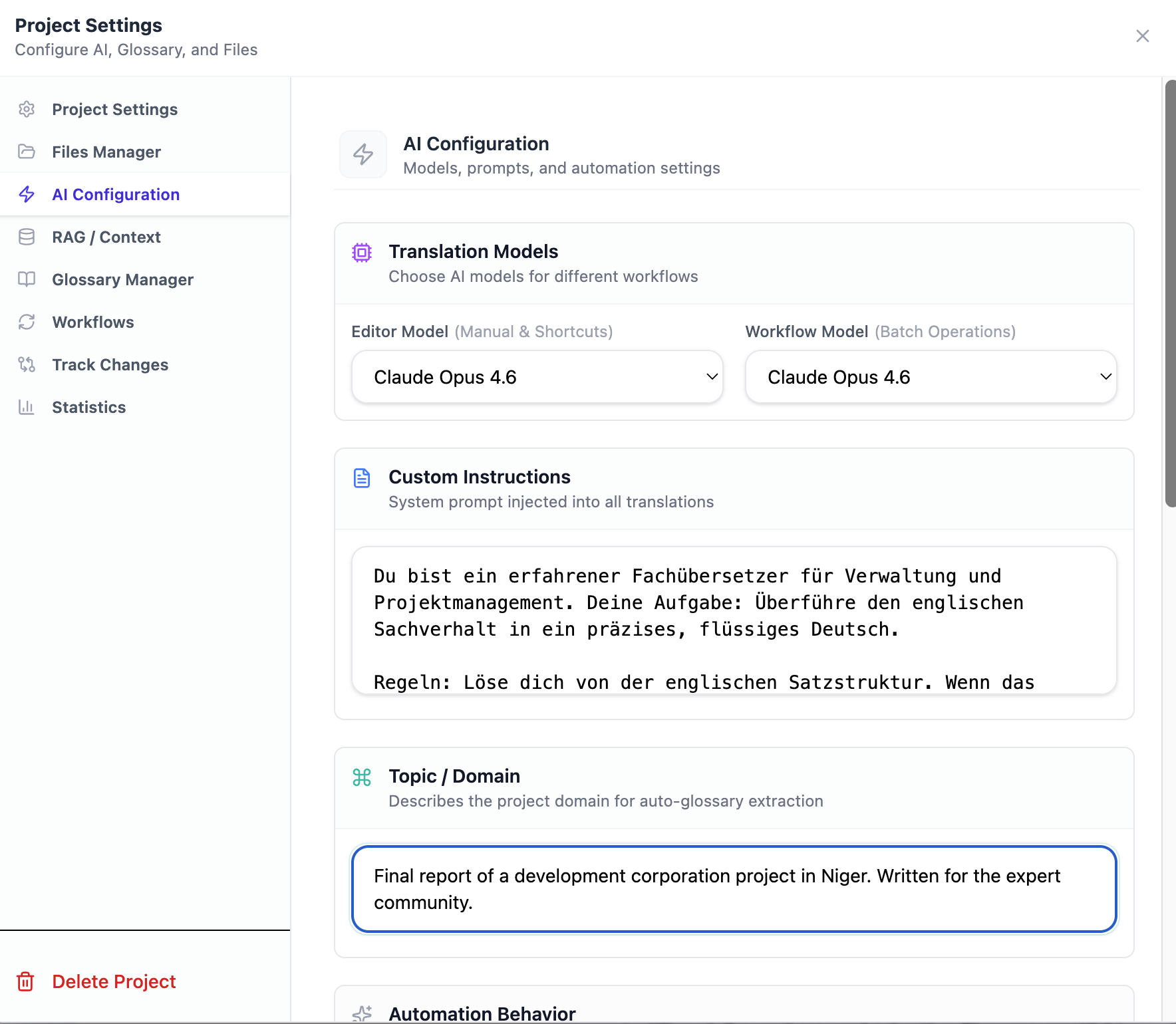
Provider frei wählbar via LangChain — auch lokale Modelle. Freely configurable providers via LangChain — including local models.

Preload Matches

Referenz-Matches vorladen und beim Öffnen sofort sehen. Preload reference matches, see them on open.

Pretranslate

Alle Segmente vorab per MT übersetzen, dann nachbearbeiten. Pre-translate all segments via MT, then post-edit.

Translate + Fill

Segment für Segment: MT-Vorschlag + eigene Bearbeitung. Segment by segment: MT suggestion + your editing.

Copy Source to Target

Quelltext als Startpunkt übernehmen. Copy source text as starting point.

Basisfunktionen Base Features

  • Multi-Dateiformat-Projekte (DOCX, XLIFF, TMX, RTF) Multi-file projects (DOCX, XLIFF, TMX, RTF)
  • Translation Memory mit semantischer Suche (Voyage AI) Translation Memory with semantic search (Voyage AI)
  • Glossar-Management — manuell und KI-extrahiert, automatisch durchgesetzt Glossary management — manual and AI-extracted, auto-enforced
  • Konfigurierbare KI-Modelle (Gemini, Claude, lokal) Configurable AI models (Gemini, Claude, local)
  • Tiptap-basierter Rich-Text-Editor mit XML-Tag-Erhaltung Tiptap-based rich text editor with XML tag preservation
  • Automatisches Backup-System mit konfigurierbaren Intervallen Automatic backup system with configurable intervals
MT Settings

Tech Stack

React Frontend
FastAPI Backend (Python 3.13)
PostgreSQL Datenbank Database
Voyage AI Embeddings & Reranking

Daran arbeite ich gerade Currently working on

Coming Soon
PDF als Source PDF as Source
PDFs direkt als Quell- oder Referenzdokument nutzen. Use PDFs directly as source or reference documents.
Coming Soon
Windows-Installer Windows Installer
Ein-Klick-Installation für Windows — ohne manuelle Einrichtung von Python, Node oder PostgreSQL. One-click installation for Windows — no manual setup of Python, Node or PostgreSQL required.
Coming Soon
Lokale KI-Modelle Local AI Models
Unterstützung für lokale Modelle wie Qwen — vollständig offline und ohne API-Kosten. Support for local models like Qwen — fully offline with no API costs.

Installation

Python 3.13+, Node.js 18+, PostgreSQL 15+. Python 3.13+, Node.js 18+, PostgreSQL 15+.

1

Repository klonen & Datenbank erstellen Clone repository & create database

git clone https://github.com/beitist/logion2.git
cd logion2
createdb logion2
2

Backend einrichten Set up backend

cd backend
python3 -m venv venv && source venv/bin/activate
pip install -r requirements.txt
cp ../.env.example ../.env   # API-Keys eintragen
uvicorn app.main:app --reload --port 8000
3

Frontend starten Start frontend

cd frontend
npm install && npm run dev

Logion2 öffnet sich unter http://localhost:5173 Logion2 opens at http://localhost:5173

Vollständige Anleitung auf GitHub Full instructions on GitHub